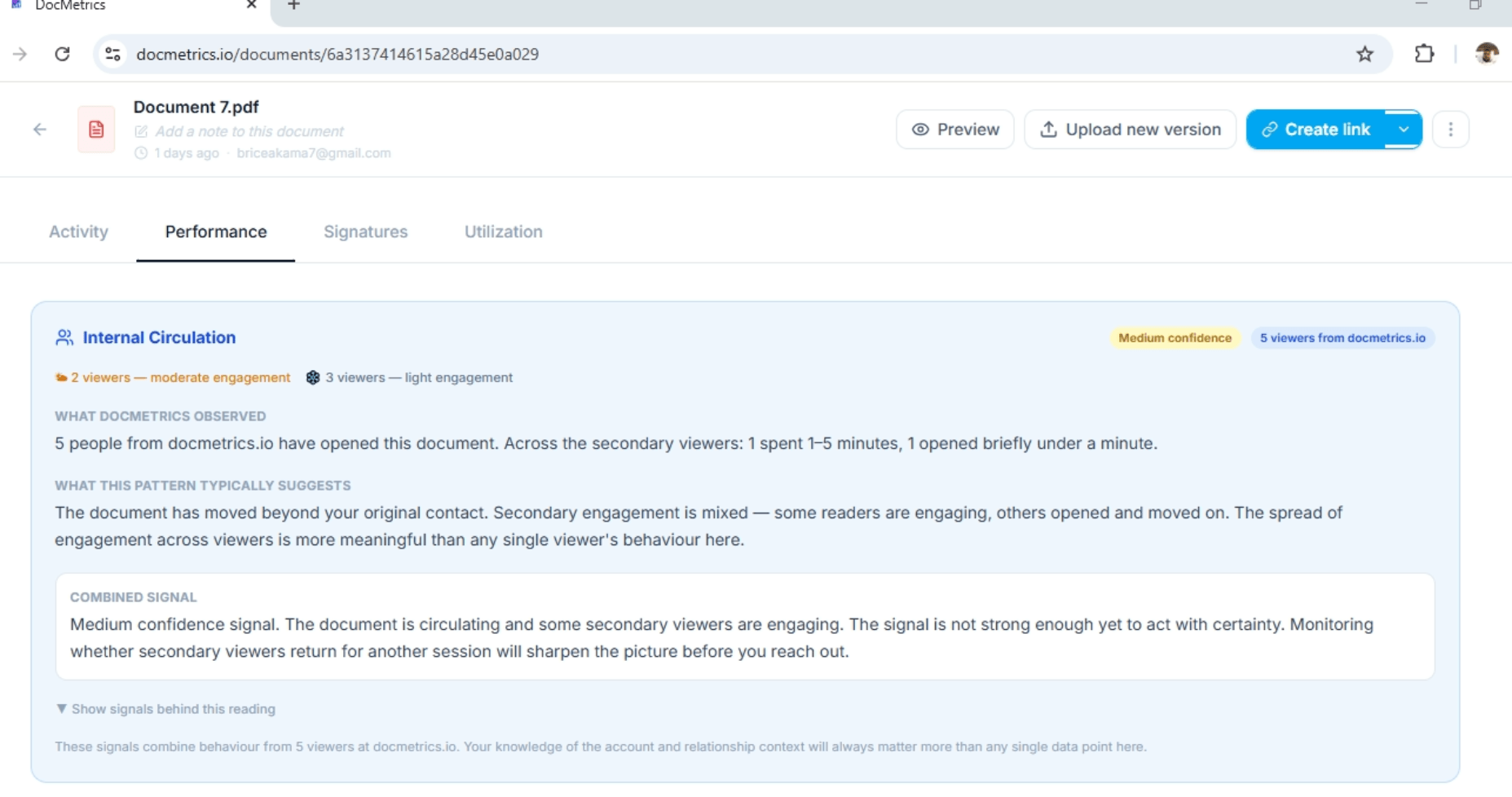
See when proposals are revisited, shared internally, and viewed by new stakeholders so every follow-up is based on real buying signals instead of guesswork.
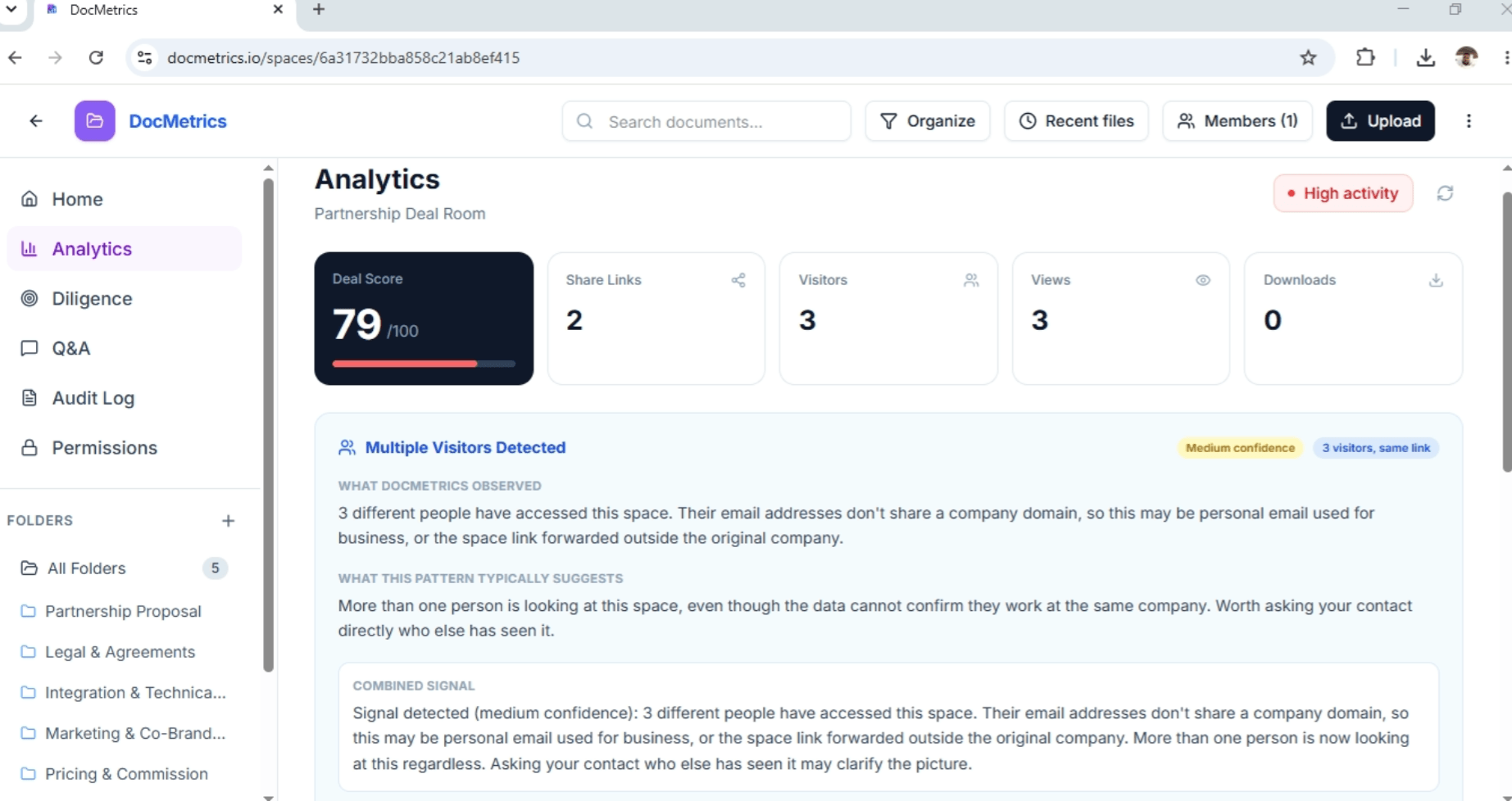
Stop relying on guesswork. See when buyers re-engage, documents circulate internally, and new decision-makers enter the deal—so every follow-up has a reason.
Add image

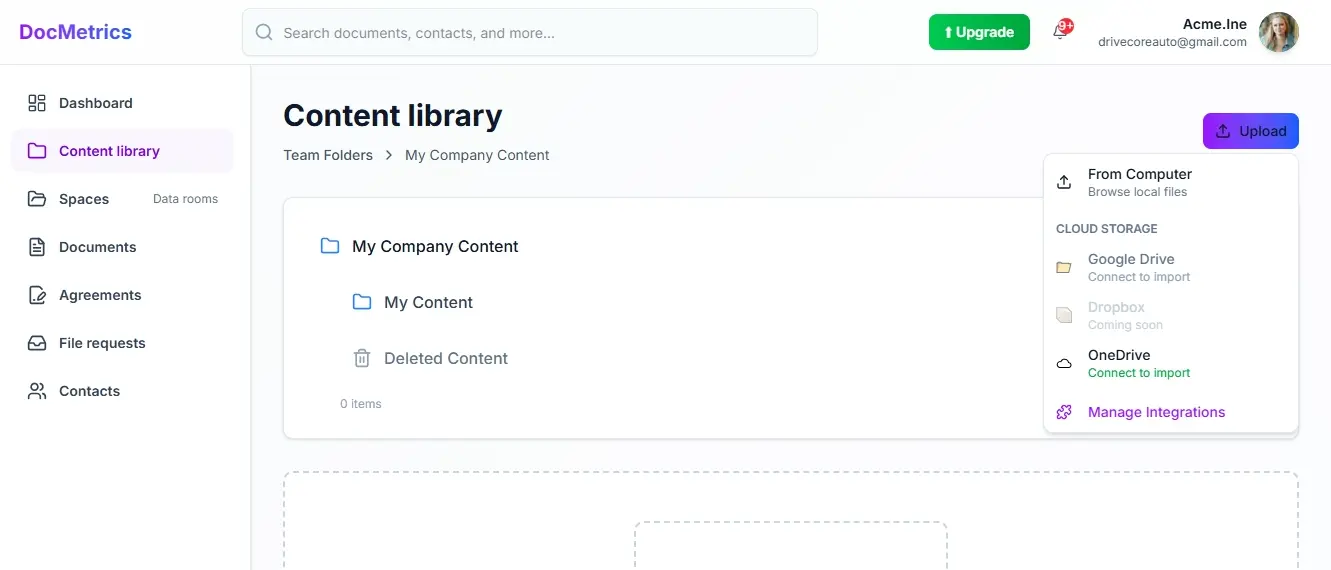
Share proposals with branded links, passwords, NDAs, expiration dates, and download controls.
Add image

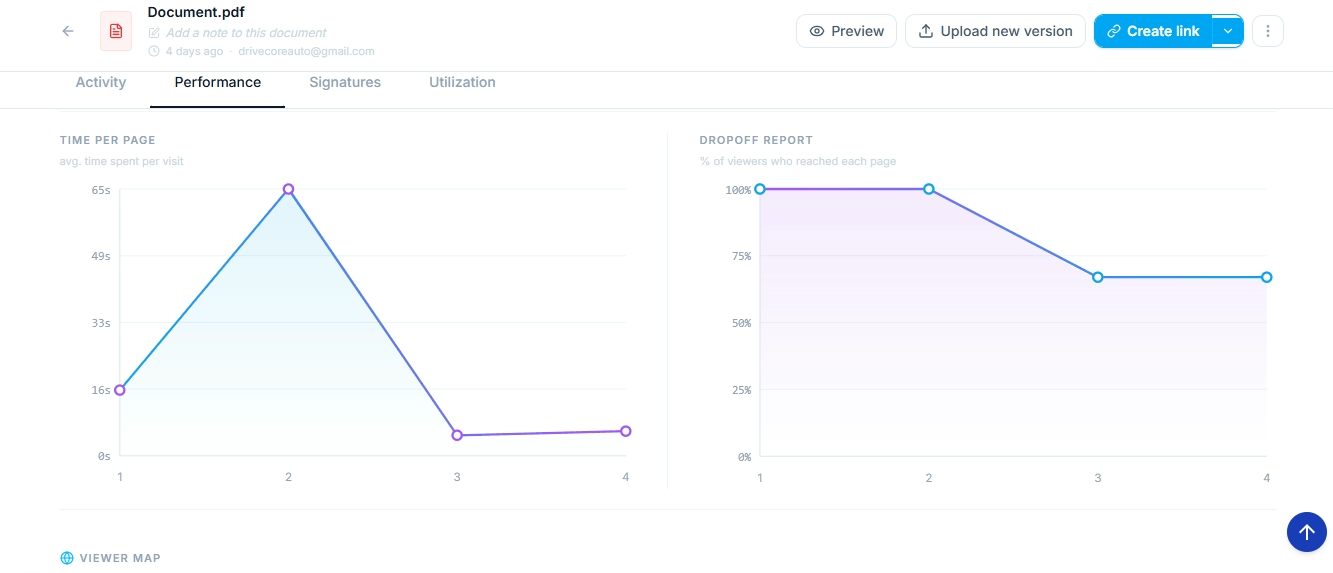
See repeat visits, time spent, and renewed interest so you know when to re-engage.
Add image

Know when proposals are shared internally and new stakeholders start reviewing them.
Add image

Follow up when buying signals are strongest instead of relying on gut feeling.
Know when buyers are paying attention. See repeat visits, proposal engagement, and new stakeholder activity so every follow-up is based on real buying signals—not guesswork.
Watch how DocMetrics helps sales teams understand buyer intent, uncover hidden buying committee activity, and follow up with confidence instead of guesswork.
See repeat visits, page engagement, and returning viewers so you know when interest is building—not fading.
Learn moreSee when proposals are revisited, shared internally, or viewed by new stakeholders so you know whether the deal is progressing before anyone replies.
Learn moreProtect every proposal with branded links, passwords, NDAs, and expiration controls while keeping complete visibility into buyer activity.
Learn moreEverything you need to know about DocMetrics. Can't find the answer you're looking for? Contact us.
DocuSign and PandaDoc focus on sending documents and collecting signatures. DocMetrics helps you understand what happens before the signature by showing document engagement, repeat visits, page-level activity, stakeholder involvement, and other measurable signals that help sales teams make better follow-up decisions.We do signatures too, but the intelligence layer is what sets us apart. You know exactly why someone signed, stalled, or declined.
No. Anyone you share a link with can open and view the document instantly — no sign-up, no login, no friction. You track everything on your end while they experience a seamless viewing flow.
When a recipient opens your document, you'll receive a real-time notification. Your dashboard shows when the document was viewed, which pages were visited, how long each page was viewed, and other engagement activity so you can decide the right next step.
A Space is a secure branded environment where you organize multiple documents for one deal, client, or investor relationship. Visitors access everything through one link and you see every interaction across all documents inside — which files were opened, by whom, and for how long.
Yes. Every share link can be password protected, restricted to specific emails or domains, set to expire after a date or number of views, and configured to block downloads or forwarding. For Spaces, you assign role-based permissions so each person only sees what they are meant to see.
You can record a short video explanation for any page in your document — like a 45-second clip saying 'this clause just means X in plain English.' Prospects and signers see a floating bubble as they read and can watch your explanation without leaving the document. You then see exactly who watched, how much they completed, and whether they replayed it.
Yes. Share your pitch deck and see which slides held attention, who spent the most time on financials, and whether they forwarded it to a partner. You can also ask investors a short feedback question at the end of the document to understand whether they're interested, need more information, or are still evaluating the opportunity.
Yes. You can import documents directly from Google Drive and OneDrive into your documents or spaces without downloading and re-uploading. Changes you make to the original do not affect the tracked version.
Yes. You can see how the signer engaged with the document before signing—including reading activity, page-level engagement, video walkthrough completion, and clarity feedback where available.If someone declines, you can see which page they were on and how long they spent before making that decision.
All documents are encrypted in transit and at rest. Share links support NDA gating, so recipients must sign a confidentiality agreement before they can view anything. You retain full ownership of everything you upload and can revoke access at any time.